
How do I access and manage my reward points?Updated 7 months ago
Follow these steps to create or access your rewards account!
1. Navigate to the footer of our website. Click on Quick Links > Coco Moon Lei Club. (https://cocomoonhawaii.com/pages/coco-moon-lei-club)
2. Select "Join Now" for new accounts or "Sign In" for existing accounts. If creating a new account, we recommend using the same email address that you normally use to place orders.
3. Once logged in, a banner at the top will show the amount of points available to redeem.
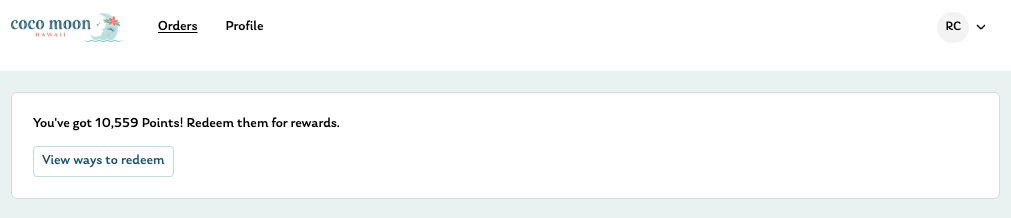
4. When you're ready to redeem your points, click on "View ways to redeem." You'll be re-directed to the Rewards Widget. This will look like being redirected to the homepage.
Wait a few seconds for the Rewards Widget to pop up. On a desktop/laptop computer, the widget will pop up in the bottom right corner. On a mobile device, the widget will fill the whole screen.
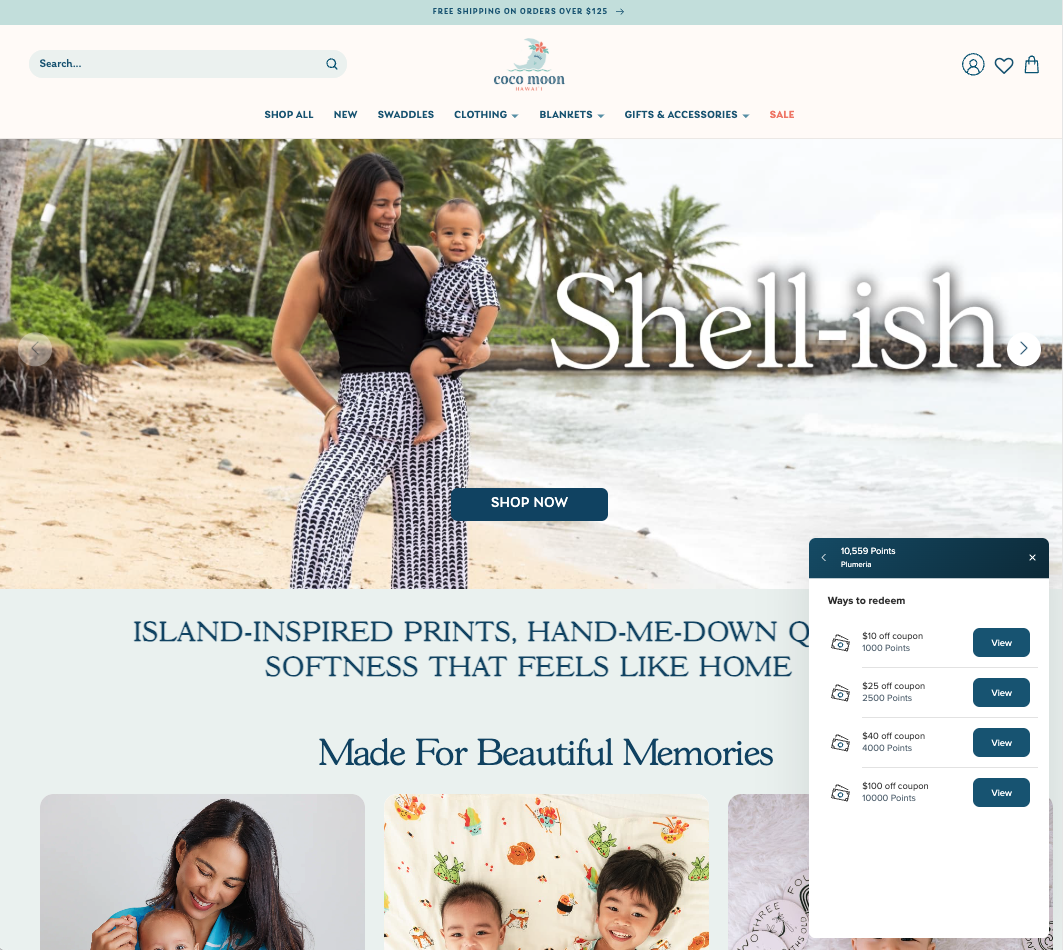 Desktop computer/laptop view
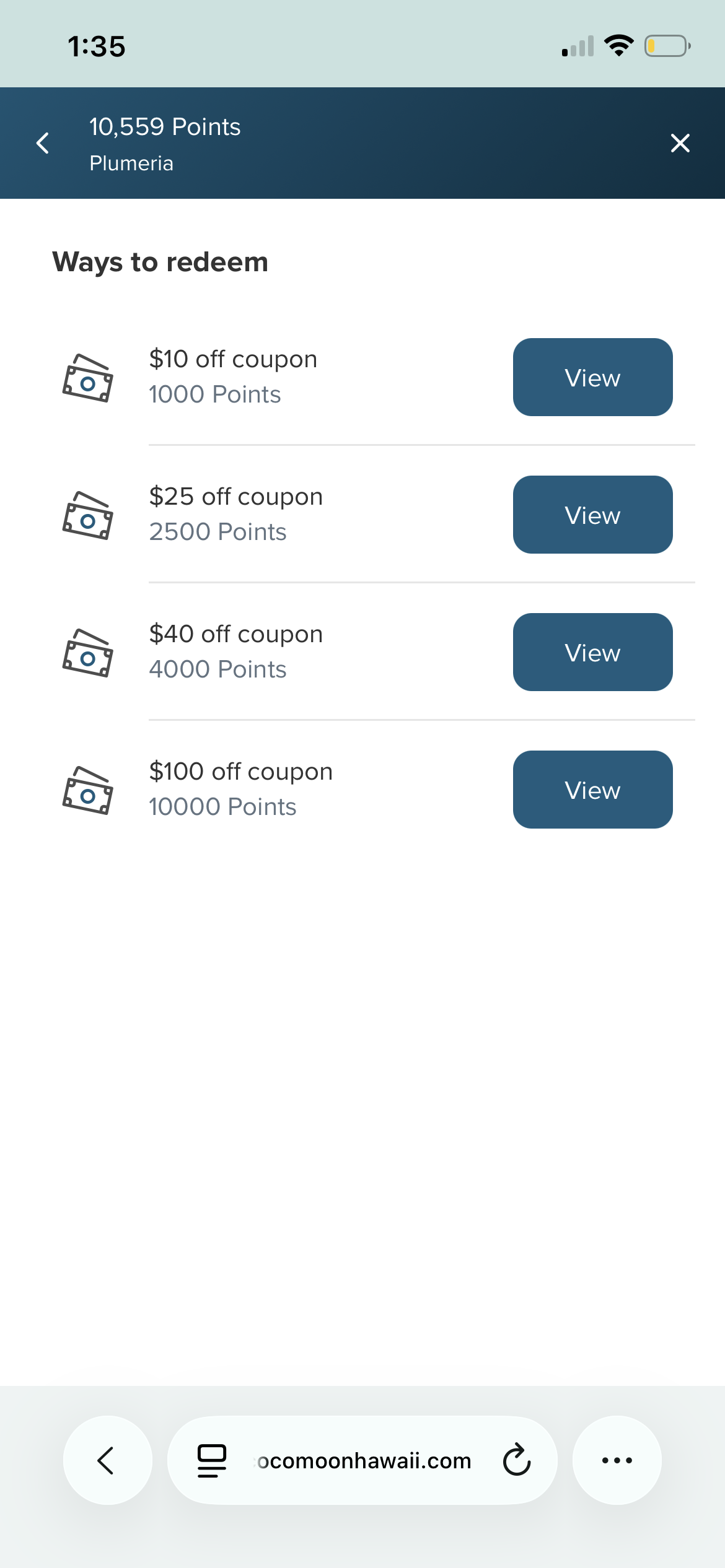 Mobile view
5. To redeem a coupon, click on "View" and "Redeem".
*NOTE: Once a code is redeemed, the points will automatically be deducted from your account. The code is then valid for 6 months from the redemption date. Please double check the coupon before redeeming.
6. Once the code is redeemed, you can either copy and paste the code in the discount code at checkout, or hit "apply code" to automatically apply the code to your cart.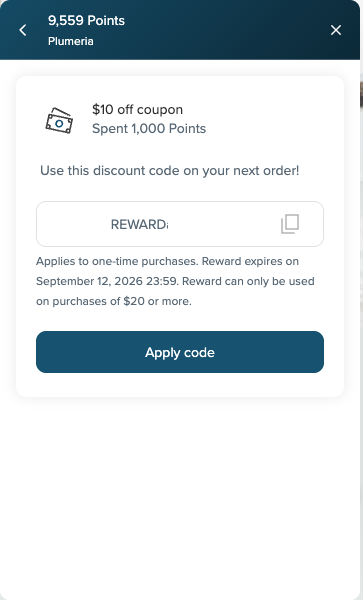
If you have any questions about your reward points, please contact our Customer Care team at [email protected].
You can also redeem reward points directly at checkout!
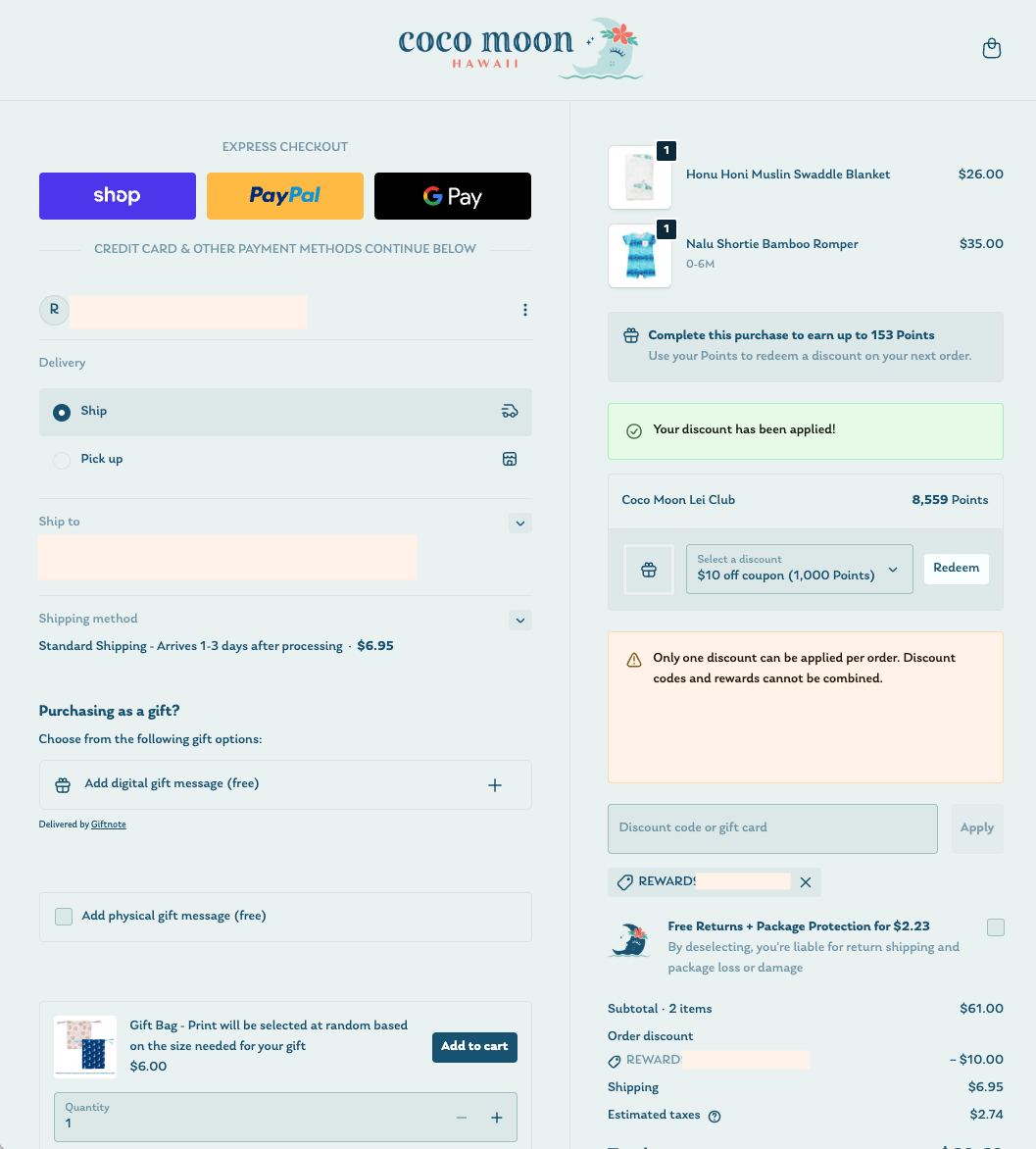
Please note the following:
- Only 1 code can be applied per order. Reward codes and discount codes cannot be combined.
- Once you redeem a code, points will be deducted from your account. Please review all your coupon options before redeeming.
- Once the code is redeemed, you'll see the code applied under the discount code box.
- If you no longer want to use the code, simply remove it by clicking on the "x" next to the code. The code will remain valid for 6 months from the redemption date.
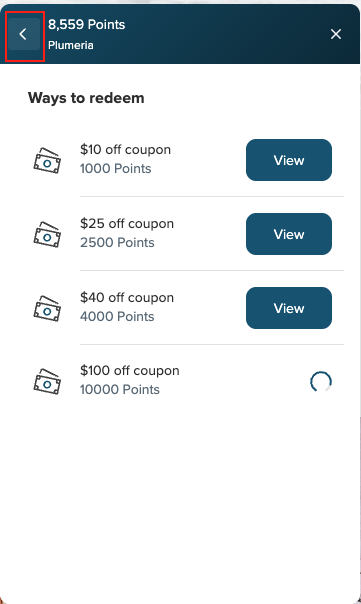
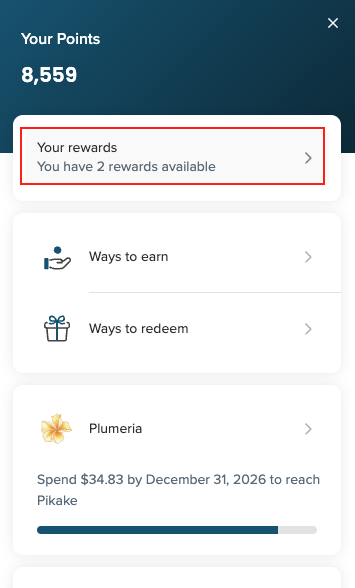
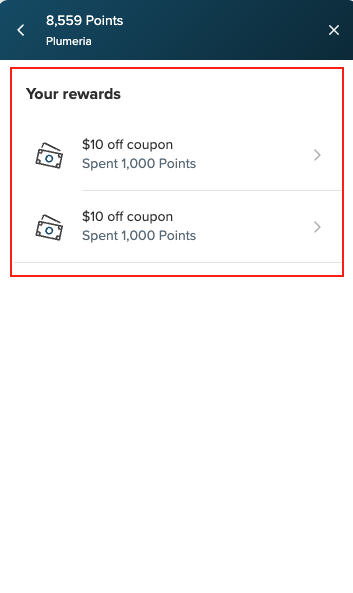
- If you accidentally remove the code, you can find it again by logging back into your rewards account using the steps above. Do not redeem another code through the checkout, as this will deduct more points from your account. Once in the widget, hit the "back" button > "Your Rewards". (see screenshots below)
If you have any questions about your reward points, please contact our Customer Care team at [email protected].